Calculate your device's battery health based on age, charge cycles, and usage patterns. Get personalized recommendations to improve and maintain battery longevity.
If you have ever been caught off guard by a sudden laptop shutdown during an important meeting, you already know why the Battery Life Calculator by Toolota is worth your attention.
This is not a guessing tool. It is not a questionnaire that asks you to enter your screen brightness, background apps, or battery capacity. Instead, the Battery Life Calculator connects directly to your device’s built-in Battery Status API and pulls live, real-time data from your actual battery hardware.
Within seconds of loading the page, you see:
Exact battery percentage
Whether you are charging or discharging
How many hours and minutes remain until empty (if on battery)
How many hours and minutes remain until full (if charging)
All of this happens automatically. No buttons. No forms. No sign-ups.
For laptop users, Chromebook owners, and tablet users who rely on portable power, this tool replaces the vague battery icon in your system tray with human-readable, precise estimates.
The Battery Life Calculator is not for everyone. It serves a specific audience with specific needs.
If you travel between meetings, work from coffee shops, or frequently present from your laptop, this tool tells you exactly when you need to find an outlet. No surprises.
Chromebooks often show minimal battery detail in the status area. The Battery Life Calculator reveals both discharge time and charge time clearly.
Tablets running iPadOS or Android with browser support can access this tool and get the same detailed metrics.
When assisting remote users with “My laptop dies too fast,” support staff can ask the user to open the Battery Life Calculator and read the discharge time aloud. This provides objective data, not subjective complaints.
If your computer is always plugged in and lacks an internal battery, the tool will show “Unsupported.” This is expected behavior, not a bug.
Because this tool has no visible input fields or buttons, first-time visitors sometimes ask: Do I need to do something?
The answer is no. But understanding exactly how the Battery Life Calculator operates will help you trust its output and use it more effectively.
Navigate to the Battery Life Calculator on Toolota using any modern browser. Chrome, Edge, Brave, and Safari (iOS limited) are all supported. The tool works best on laptops, Chromebooks, and tablets that contain an actual internal battery.
The moment the page loads, the script checks for two things:
Does this browser support the getBattery() method?
Is there a battery present on this device?
If both answers are yes, the Battery Life Calculator instantly establishes a live connection to your battery controller.
The tool extracts four specific data points from your battery:
| Metric | What It Tells You |
|---|---|
level | Percentage from 0.00 to 1.00 (converted to 0–100%) |
charging | Boolean: true if AC adapter is connected |
dischargingTime | Seconds remaining until battery depletes |
chargingTime | Seconds remaining until fully charged |
These values are updated continuously. You do not need to refresh the page.
Once the data is captured, the Battery Life Calculator renders three visual elements:
Battery fill bar: Width matches your percentage; color shifts from green → yellow → red based on level.
Status badge: Shows “On Battery,” “Charging,” or “Desktop / Not Supported.”
Three stat cards: Battery Level, Time Remaining, Charging Time.
The tool evaluates two specific conditions automatically:
Condition A – Low Battery Alert
If your battery is at 30% or lower AND you are not charging, the tool reveals a gold-bordered tips section with five power-saving recommendations.
Condition B – Unsupported Hardware
If you are on a desktop PC with no battery, or an older browser without API support, the Battery Life Calculator displays a red “Unsupported” badge and shows N/A across all metrics. No errors. No crashes.
Even after the initial load, the Battery Life Calculator remains active. It “listens” for four specific events:
levelchange (you unplug, percentage drops)
chargingchange (you plug in or remove charger)
chargingtimechange (charge speed fluctuates)
dischargingtimechange (drain rate changes)
Every time one of these occurs, the UI updates immediately. You watch the battery fill bar shrink or grow in real time.
The Battery Life Calculator delivers exactly three output values—no more, no less. This focus makes the tool fast, readable, and reliable.
Displayed as a clean percentage inside the battery icon and repeated in the first stat card. The fill bar animates smoothly when the level changes.
When running on battery, this field shows estimated runtime in hours and minutes.
Example: 2h 15m
If the operating system cannot calculate remaining time (rare, but possible), the tool shows “Calculating…” instead of an incorrect number.
When plugged in, this field shows estimated time until 100% charge.
Example: 1h 30m
If fully charged, or if the battery is not currently charging, the tool displays a clean double-dash: --
A pulsing green dot next to the status badge confirms the Battery Life Calculator is actively monitoring your battery. This visual cue reassures users that data is fresh.
Green gradient → 51–100% (not critical)
Yellow/orange gradient → 21–50% and discharging
Red gradient → 0–20% and discharging
Color changes are instant and help you assess urgency at a glance.
The Battery Life Calculator is a static HTML page with zero server dependencies. It loads in under one second and begins reporting data immediately.
Because the tool reads directly from your battery controller via the Browser API, the numbers are as accurate as your operating system’s own battery estimator. This is first-party data, not an algorithm guess.
There are no advertisements flashing next to the battery icon. No pop-ups asking for your email. The interface is minimal, calm, and focused entirely on the three metrics.
You do not need to refresh or re-run the tool. Plugging in the charger immediately changes the status badge from “On Battery” to “Charging.” Unplugging does the opposite.
The Battery Life Calculator runs entirely in your browser. There is no software to download, no permissions to grant beyond the battery access request, and nothing to uninstall later.
The tool does not send your battery level or device information to any server. All processing happens locally. Once you close the tab, the data is gone.
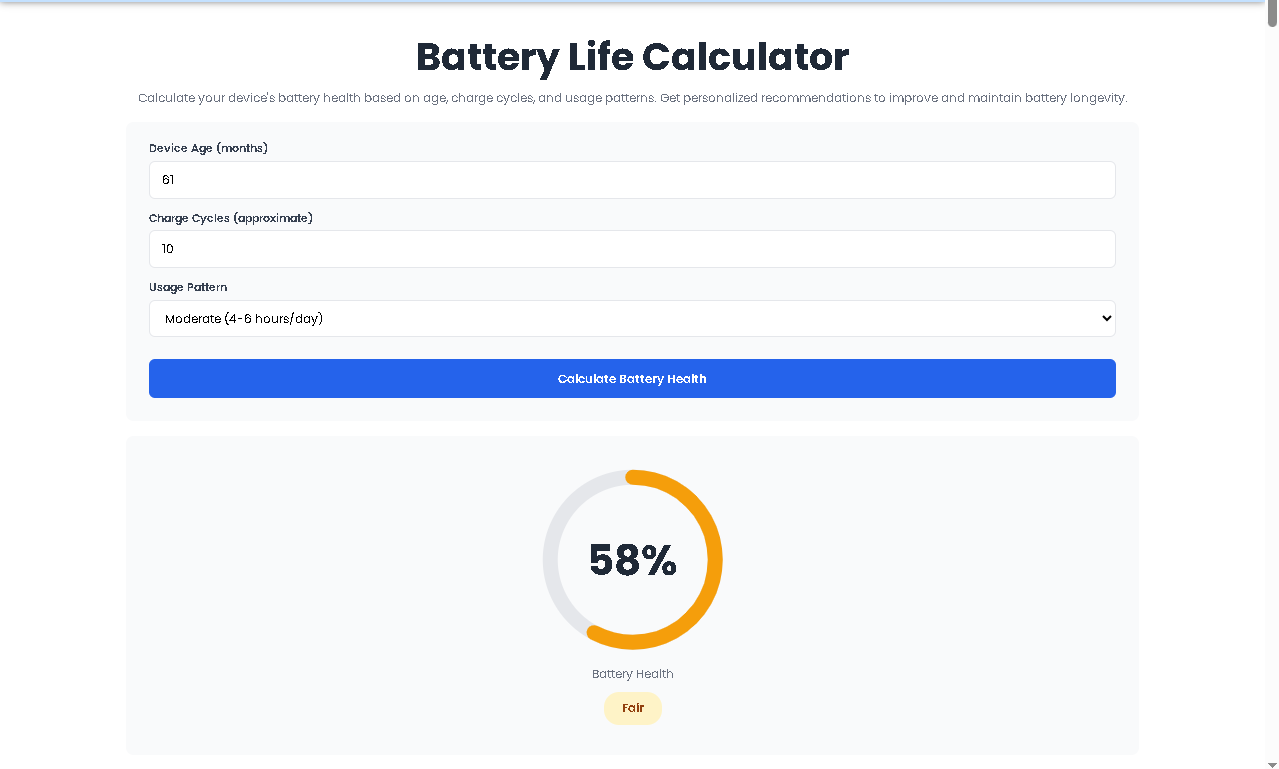
No battery estimator is perfect—including this one. The Battery Life Calculator depends entirely on the data provided by your device’s Battery Status API.
Reports current charge percentage with high precision
Correctly identifies charging vs. discharging state
Shows charging time estimates (when available from OS)
Shows discharging time estimates (when available from OS)
Discharge time is an estimate. If you open a video game or intensive application, the remaining minutes will drop faster than predicted. The tool updates continuously, so you will see this change in real time.
Charge time assumes consistent power delivery. If you use a low-wattage charger, the estimate may be longer than expected.
Unsupported devices cannot be forced to work. If your browser does not support getBattery(), the tool cannot retrieve data.
iOS Safari has limited battery API support. Some metrics may show as unavailable.
Understanding these limitations helps you use the Battery Life Calculator as a guide, not a guarantee.
It depends on your device and browser. Android phones running Chrome often support the Battery API. iPhones running Safari have limited support, and the tool may not display discharge or charge time. The percentage may still appear.
This usually means one of two things: (a) you are using a desktop computer with no internal battery, or (b) your browser has disabled or does not support the Battery Status API. The tool cannot bypass these hardware or software restrictions.
The tool updates instantly whenever your battery level changes, your charging status changes, or the estimated time remaining changes. There is no fixed interval—it is event-driven.
Yes. Toolota provides this utility at no cost. There are no premium tiers, subscription plans, or hidden paywalls. Open the page and the tool works immediately.
Toolota is your all-in-one online tools platform. Fast, simple, and free utilities designed to make everyday digital tasks easier and smarter.
