
Image Similarity Checker
Compare two images to discover their structural similarity using pixel-based analysis.
Similarity Score
0%
0%
Matching Pixels
0
Avg Color Difference
-
Comparison Size
Compare two images to discover their structural similarity using pixel-based analysis.
Similarity Score
0%
0%
Matching Pixels
0
Avg Color Difference
-
Comparison Size
In a digital world flooded with visual content, determining how alike two images are can be surprisingly complex. Are they perfect duplicates, slight variations, or completely different? The Image Similarity Checker from Toolota is a specialized, web-based tool designed to answer this question with mathematical precision, not just a guess. This powerful Image Similarity Checker performs a pixel-by-pixel structural analysis of two images you upload.
Manual image comparison is inherently limited by human perception, time constraints, and the subtle differences that can escape even the most trained eye. Our Image Similarity Checker overcomes these limitations with several distinct advantages that make it the superior choice for accurate visual analysis.
Unmatched Speed and Efficiency: Where manual comparison might take minutes or hours of careful scrutiny, this Image Similarity Checker delivers detailed similarity reports in mere seconds. Simply upload your images and receive comprehensive metrics almost instantly, dramatically accelerating workflows for professionals and casual users alike.
Objective, Consistent Accuracy: Human judgment varies with fatigue, bias, and attention span. This Image Similarity Checker applies the same rigorous algorithm to every comparison, ensuring consistent results regardless of when or how many times you analyze the same image pair. The pixel-based methodology removes subjectivity entirely.
Quantifiable Results for Better Decisions: Move beyond vague descriptions like “they look similar” to precise statements like “these images share 92% structural similarity.” The numerical output from this Image Similarity Checker enables data-driven decisions about image selection, duplicate removal, quality control, and content management.
Zero Installation, Complete Accessibility: As a fully web-based Image Similarity Checker, it requires no downloads, software installations, or system configurations. Access it directly from any modern browser on desktop or mobile devices without registration barriers, making professional-grade image analysis available to everyone immediately.
Intuitive, User-Centered Design: The Toolota team has crafted this Image Similarity Checker with a clean, distraction-free interface that guides users naturally through the comparison process. Clear labels, visual feedback, and logical workflow design ensure that even first-time users can obtain accurate results without technical expertise.
Using the Image Similarity Checker is a straightforward, three-step process designed for maximum clarity. Follow these steps for an accurate comparison.
Step 1: Upload Your First Image
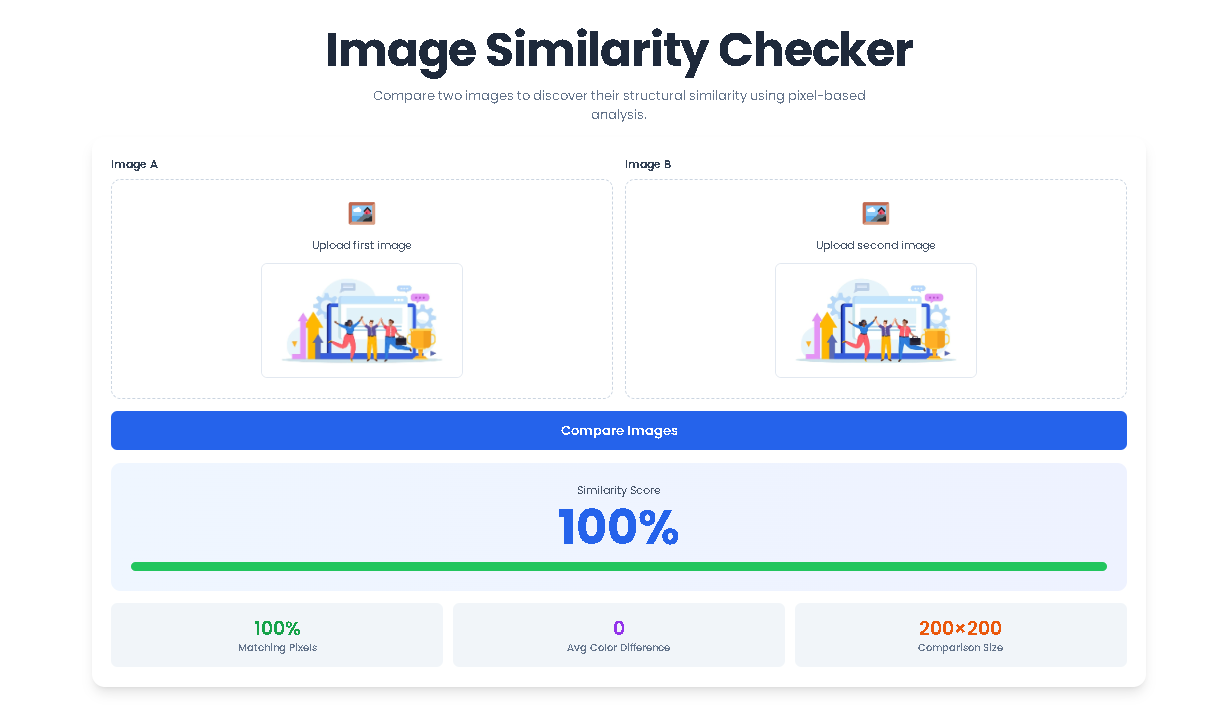
Locate the section labeled “Image A.” Click anywhere within the dashed border area or on the 🖼️ icon. This will open your computer’s file explorer. Select your first image file (JPG, PNG, etc.). Once uploaded, a thumbnail preview will appear on a canvas within the box, confirming your selection.
Step 2: Upload Your Second Image
Immediately below or beside, find the “Image B” section. Repeat the process: click the upload area and select the second image you wish to compare. Its thumbnail will also generate upon upload.
Step 3: Initiate the Comparison
Once both Image A and Image B thumbnails are visible on the screen, the blue “Compare Images” button will appear in the Image Similarity Checker interface. Click this button to start the analysis. The tool will now process both images—resizing them to a uniform scale, converting them for analysis, and running the pixel comparison. Please allow a few moments for the calculation to complete.
Our Image Similarity Checker distinguishes itself through a carefully engineered feature set that delivers tangible benefits across diverse use cases.
Pixel-Precise Structural Analysis Engine: Unlike simpler tools that might compare only metadata or file hashes, this Image Similarity Checker examines the actual visual content at the pixel level. This deep analysis detects similarities that survive format conversion, resizing, minor cropping, and color adjustments—scenarios where basic checks would fail.
Intelligent Image Standardization: Before comparison begins, the Image Similarity Checker automatically normalizes both images to identical dimensions (200×200 pixels) while preserving aspect ratios. This critical preprocessing ensures comparisons measure content similarity rather than resolution differences, allowing meaningful analysis between high-resolution originals and web-optimized thumbnails.
Immediate Visual Feedback System: The dynamic color-coded progress bar translates numerical similarity scores into instant visual understanding. This design choice caters to both detail-oriented users who examine exact percentages and those who prefer at-a-glance assessment of match quality.
Privacy-First Processing Architecture: Every operation within this Image Similarity Checker occurs locally within your web browser using JavaScript. Your uploaded images never transmit to external servers, eliminating privacy concerns associated with cloud-based analysis tools. Your visual content remains entirely on your device throughout the comparison process.
Multi-Metric Insight for Nuanced Understanding: By presenting four complementary data points rather than a single similarity percentage, this Image Similarity Checker enables sophisticated interpretation. You can distinguish, for example, between images with high structural similarity but different color treatments versus images with different compositions but similar color palettes.
Device and Browser Compatibility: Built with modern web standards, this Image Similarity Checker functions seamlessly across desktop browsers (Chrome, Firefox, Safari, Edge) and mobile devices without requiring special plugins or permissions. The responsive interface adapts naturally to different screen sizes.
After processing completes, the Image Similarity Checker reveals a detailed results panel containing four key metrics and visual feedback. Understanding each component ensures you extract maximum value from every comparison.
Similarity Score (Primary Metric): Displayed as a prominent large percentage (e.g., “84%”), this is the core output of the Image Similarity Checker. It represents the overall structural correspondence between the two analyzed images, calculated from normalized pixel differences. The adjacent colored progress bar provides immediate intuitive feedback: Rich Green (80-100%) indicates very strong visual matches often representing duplicates or minor edits, Confident Blue (50-79%) suggests moderate similarity with noticeable but related variations, Caution Orange (30-49%) shows partial matches with significant differences, and Alert Red (0-29%) signifies weak or minimal visual relationship.
Matching Pixels Percentage: This metric reveals the proportion of individual pixels that fall within a defined similarity threshold during the scan. Unlike the overall similarity score which considers all pixels with weighted differences, this percentage specifically counts pixels deemed “effectively identical” given minor variations in compression, lighting, or subtle editing. A higher percentage here indicates greater pixel-level correspondence.
Average Color Difference: Expressed as a whole number, this value represents the mean difference in grayscale intensity between corresponding pixels across the entire image. Lower numbers (typically 0-20) indicate very similar tonal distributions, while higher numbers (50+) suggest substantial differences in brightness, contrast, or color conversion. This metric helps distinguish between structural duplicates with color filters versus truly different images.
Standardized Comparison Size: This notation (consistently “200×200 pixels”) confirms the resolution at which the Image Similarity Checker performed its analysis. Both images are proportionally scaled to this uniform dimension to ensure comparison fairness independent of original file sizes or aspect ratios. This standardization focuses the algorithm purely on content structure rather than resolution differences.
Maximize the effectiveness of your Image Similarity Checker sessions by following these evidence-based guidelines distilled from extensive tool testing and user feedback.
Compare Contextually Similar Content: The algorithm measures structural correspondence, not categorical relationships. For meaningful results, compare images of the same subject, scene, or composition. Comparing a portrait to a landscape, even with similar colors, will naturally yield low similarity scores as their structural elements differ fundamentally.
Interpret Scores Relative to Your Use Case: Understand that similarity percentages are relative measures. For duplicate detection in photo libraries, prioritize matches above 90%. For monitoring design consistency across branded materials, scores above 80% typically indicate acceptable alignment. For identifying completely different images, scores below 30% provide reliable differentiation.
Analyze Multiple Metrics Together: Consider all four output metrics in combination. Two images might show 85% similarity with 15 average color difference (indicating structural duplicates with color grading differences) versus 85% similarity with 45 average color difference (suggesting more substantial visual variations). This multidimensional insight surpasses single-metric analysis.
Account for Image Quality Factors: Extremely low-resolution source images (below 200px in either dimension) or heavily JPEG-compressed files with visible artifacts may produce less consistent results. The Image Similarity Checker performs best with reasonably clear source material where structural elements remain discernible after standardization.
Use Consistent File Formats When Possible: While the tool accepts mixed formats, comparing JPEG to PNG versions of the same image may show slight differences due to format-specific compression artifacts. For most precise comparisons, use identical formats or uncompressed source files when available.
Establish Organizational Thresholds: For professional workflows, define internal standards based on Image Similarity Checker outputs. For example: “Images scoring above 95% are considered duplicates for archiving purposes” or “Marketing assets must show at least 75% similarity to approved brand templates.” This institutionalizes objective quality control.
The tool accepts all common web image formats, including JPG, PNG, GIF, and WebP files. Simply use the file uploader to select any image from your device.
Absolutely. The Image Similarity Checker is a client-side tool. All image processing occurs directly within your web browser. Your images are never uploaded to an external server, ensuring complete privacy and security.
The tool resizes both images to a standard size, converts them to grayscale to focus on structure over color, and then performs a pixel-by-pixel comparison. The Similarity Score is derived from the average difference in pixel values, normalized and inverted to present a clear 0-100% scale.
While the Image Similarity Checker can identify if two images you already have are similar, it is not a web-crawling reverse image search engine. It is designed for direct comparison of files in your possession. For finding where an image is used online, you would need a dedicated reverse image search service.
Toolota is your all-in-one online tools platform. Fast, simple, and free utilities designed to make everyday digital tasks easier and smarter.