
Data Generator
Generate random datasets for testing and development with various data types and export options.
Generate random datasets for testing and development with various data types and export options.
In the world of software development, testing, and prototyping, one of the most common yet tedious tasks is creating realistic data. Manually typing out names, emails, IDs, and addresses for dozens or hundreds of test records is not just slow—it stifles creativity and halts progress. This is where a specialized tool becomes indispensable. The (Data Generator) from Toolota is a free, web-based utility designed specifically to solve this problem. It is not a generic data creator; it is a precision instrument for developers, testers, and designers who need structured, valid JSON data on demand.
The utility of a focused Data Generator extends across multiple roles and stages in the tech ecosystem. If you find yourself in any of the following scenarios, this tool was built for you:
Frontend Developers: You’re building a React, Vue, or Angular component that needs to display a list of users, products, or orders. Instead of hardcoding an array or waiting for the backend API to be ready, you can use the Data Generator to create a perfect JSON feed. This allows you to develop, style, and test the component’s functionality independently and in parallel.
Backend & API Developers: You need to test your new RESTful or GraphQL endpoint. You require payloads of various sizes and structures to validate your logic, error handling, and performance. Generating custom JSON payloads with this Data Generator lets you simulate real client requests without needing a frontend or a separate data creation script.
Quality Assurance (QA) & Test Automation Engineers: Comprehensive testing requires diverse datasets—edge cases, boundary values, and standard flows. A manual Data Generator enables you to quickly produce specific data sets for automated test scripts, checking how your application handles different inputs for fields like email, status, or amount.
Product Managers & Designers: When creating wireframes, prototypes, or product requirement documents (PRDs), showing realistic data makes the concept tangible for stakeholders. Populating your Figma or Sketch mockups with generated data from a tool like this brings static designs to life.
Students & Educators: Learning about JSON structures, APIs, or database management is easier with hands-on practice. This tool provides an immediate, visual way to understand how key-value pairs work and how applications consume structured data.
In short, anyone who works with JSON and needs to bypass the “empty state” of an application will find tremendous value in this focused Data Generator.
Using the Data Generator is a straightforward, two-step process designed for maximum efficiency. Let’s walk through the exact workflow as it exists in the tool’s interface.
Step 1: Define Your Object Structure in the “Object Keys” Field
This is where you specify what data you want to generate. The tool expects a comma-separated list of the property names for your JSON objects.
Action: In the text area labeled “Object Keys,” type the keys you need. For example, if you are generating user data, you might enter: id, firstName, lastName, email, city, subscriptionStatus.
Pro Tip: Use clear, camelCase or snake_case names as you would in your actual code (e.g., user_id, productName). The generator uses these keys verbatim. There’s no need for quotes or brackets—just a simple list separated by commas.
Step 2: Specify the Volume in the “Number of Objects” Field
Here, you determine how much data you need.
Action: Use the number input field (with handy up/down arrows) to select a value between 1 and 50. This defines the length of the final JSON array. Need 25 mock products? Set it to 25.
Step 3: Generate and Retrieve Your Data
With your parameters set, you initiate the creation process.
Action: Click the prominent “Generate Data” button. The tool’s logic immediately springs into action. It parses your list of keys, creates the specified number of objects, and assigns a contextually appropriate, random value to each key (e.g., a number for id, a string for city, a plausible email address for email).
Output: Instantly, your generated data appears in the read-only, formatted display box below. The data is presented as a perfectly indented JSON array, ready for use. The formatting ensures it is human-readable and instantly valid for parsing.
Step 4: Copy and Implement
The final step is taking your generated data into your project.
Action: Click the “Copy to Clipboard” button located right next to the output field. A confirmation feedback (like a brief “Copied!” message) lets you know the entire JSON string is now in your system’s clipboard.
Final Step: Navigate to your code editor, API testing tool (like Postman or Insomnia), database console, or design software, and paste (Ctrl+V or Cmd+V). Your custom, ready-made data is now in place.
This entire flow—from an empty state to having tailored JSON in your clipboard—takes less than half a minute, demonstrating the sheer time-saving power of this specialized Data Generator.
Why choose this specific Data Generator over manual creation or other methods? The advantages are clear and impactful:
Unmatched Speed and Efficiency: The primary benefit. What could take 15-30 minutes of manual, error-prone typing is accomplished in seconds. This dramatically accelerates development cycles, testing phases, and prototyping efforts.
Guaranteed JSON Validity: The tool outputs standards-compliant JSON. You never have to worry about missing commas, trailing commas, incorrect quotes, or malformed syntax breaking your parser. The data is guaranteed to be valid, allowing you to focus on your core task.
Developer-Centric Design (Clean UI/UX): The interface is minimal and intuitive. There are no distracting ads, unnecessary options, or complex settings. It’s a focused tool with a clear input -> action -> output flow, respecting the user’s time and intent.
Customization and Control: Unlike static sample datasets, you have full control. You define the exact property names that match your application’s schema. This ensures the generated data is relevant and integrates seamlessly without requiring manual renaming or data mapping.
“Copy to Clipboard” Convenience: The one-click copy function is a small feature with a massive impact on workflow fluidity. It eliminates the need to manually select text (which can be error-prone with large blocks), ensuring a clean transfer of data.
Ideal for Iteration: Need 10 objects now and 100 later? Found a missing key? Simply adjust the number or edit the key list and regenerate. This iterative process is seamless, supporting an agile development and testing mindset.
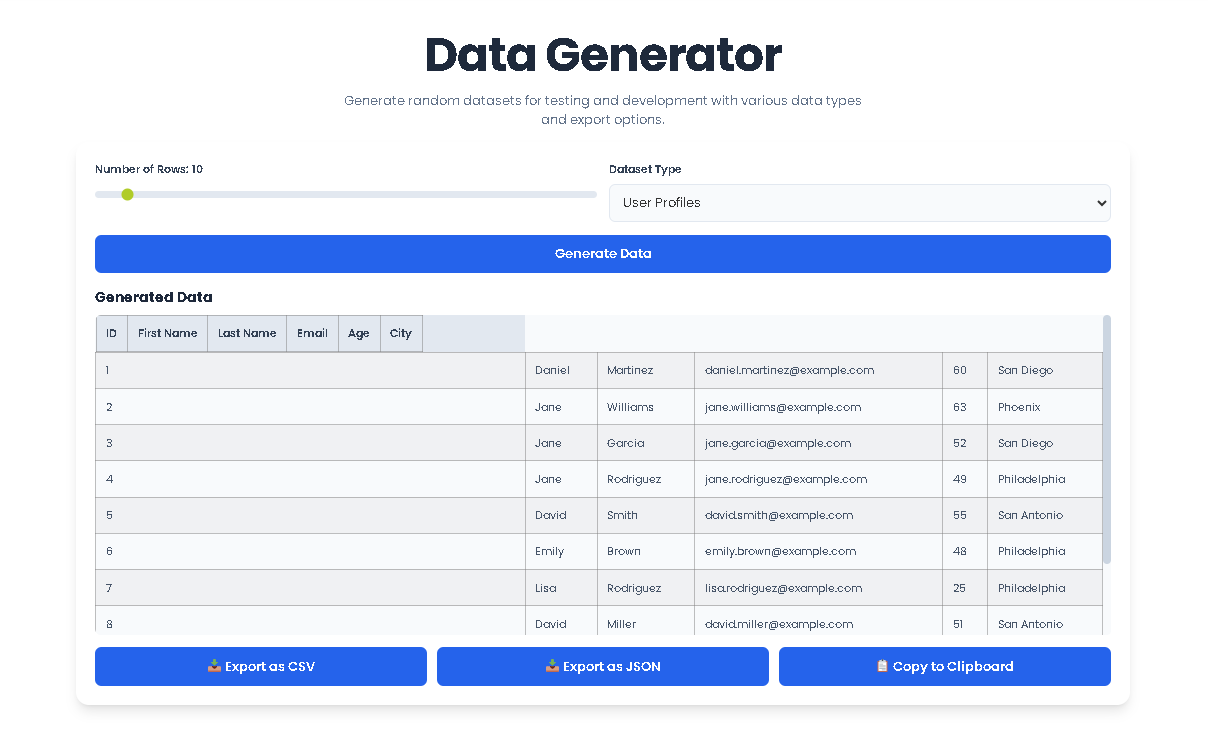
To get the most out of the Toolota Data Generator and ensure it meets your expectations, keep these conditions in mind:
Output Directly Reflects Input Quality: The tool generates random values based on the key names you provide. While it uses common sense (e.g., generating an email-like string for a key containing “email”), the values are randomized placeholders. They are not pulled from a real database. For keys with ambiguous names, the value type (string, number, boolean) is determined by the tool’s internal logic.
AI-Generated Content Requires Review: The data is generated algorithmically. It is perfect for testing and mocking but should not be used as real user data in a production application without thorough review and sanitization. Always treat generated data as dummy data.
Strictly for Legal & Ethical Use: This tool is provided to assist in legitimate development, testing, and learning activities. It must not be used to generate data for illegal purposes, to create misleading information, or to impersonate individuals in any harmful manner.
Functional Limitations: The tool is designed for generating relatively small, structured datasets (up to 50 objects) quickly. It is not a bulk data ETL (Extract, Transform, Load) tool or a database management suite. For massive datasets, specialized software would be more appropriate.
This Data Generator creates structured JSON (JavaScript Object Notation) data. You provide a list of property names (like id, title, price, category) and the desired number of records. The tool then builds a JSON array where each object contains those properties filled with randomized, context-appropriate dummy values. It’s specifically designed for creating test data for software projects.
The values are randomly generated, but not entirely without logic. The tool employs a basic form of intelligence to match common data types. For instance, a key named “email” will typically yield a string formatted like "random123@example.com", while a key containing “id” or “count” will likely generate a number. This makes the output more realistic and usable for mocking purposes than purely random strings.
No. The Toolota Data Generator is specifically engineered as a JSON data generator. Its output is a clean, formatted JSON array. If you need CSV, XML, or SQL formats, you would need to convert the JSON output using a separate tool or script, as this functionality is outside the scope of this focused utility.
Relevance comes from the keys you input. Be as specific as possible with your property names. Instead of just "status", consider if "accountStatus" or "orderStatus" is more precise. The tool uses your key names as the sole guide for generation. For highly specific value formats (e.g., a phone number with a particular country code), you may need to manually edit the generated JSON or use a more specialized data mocking library in your codebase, using this tool’s output as an excellent starting point.
Toolota is your all-in-one online tools platform. Fast, simple, and free utilities designed to make everyday digital tasks easier and smarter.