
Color Palette From Image
Extract dominant colors from any image and get a beautiful color palette with HEX and RGB values.
Preview
Color Palette
💡 Click on any color to copy its value
Extract dominant colors from any image and get a beautiful color palette with HEX and RGB values.
💡 Click on any color to copy its value
A Color Palette From Image tool is a specialized web application that analyzes a digital image and identifies its most visually dominant colors. Instead of manually guessing or using complex software, you simply upload a photo, and the tool uses algorithms—like the K-means clustering method employed by Toolota’s generator—to sample thousands of pixels and group them into cohesive color families. The result is a curated palette, typically of 5-6 colors, that represents the core aesthetic of your image. This process is invaluable for translating visual inspiration into actionable design data, providing immediate HEX and RGB color codes ready for use in any project. By using a Color Palette From Image generator, you bridge the gap between inspiration and execution, transforming any photograph, artwork, or screenshot into a professional color scheme.
The utility of a Color Palette From Image tool extends across numerous creative and technical fields.
Graphic & Web Designers: Quickly establish a cohesive color scheme for websites, logos, or marketing materials based on a client’s brand imagery or mood board inspiration.
UI/UX Designers: Extract functional palettes from screenshots or visual references to maintain consistency in app interfaces and user experiences.
Digital Artists & Illustrators: Derive harmonious color stories from reference photos or existing artwork to inform new pieces.
Interior Designers & Decorators: Capture the exact colors from a fabric swatch, paint chip, or room photograph to source matching materials.
Content Creators & Social Media Managers: Create branded graphics and video thumbnails with colors pulled directly from key brand assets or campaign photos.
Developers & Programmers: Easily grab accurate color codes from mockups or design comps for direct implementation in CSS, Tailwind configs, or other code.
Hobbyists & DIY Enthusiasts: Simplify crafting, home projects, or any visual planning by easily identifying and matching colors from pictures.
This section provides a detailed, step-by-step guide based on the exact functionality of Toolota‘s tool. Follow these instructions to generate your palette accurately.
Navigate to the Color Palette From Image tool on Toolota. Ensure you have the image file (JPG, PNG, or GIF format) from which you want to extract colors readily available on your device. The tool works entirely in your web browser, so no software installation is required.
Locate the upload area clearly marked on the page. You will see a bordered zone with a paint emoji (🎨) and the prompt “Click to upload an image.” Click anywhere within this area. A file dialog box will open, allowing you to browse your computer or device. Select your desired image file and click “Open” to upload it.
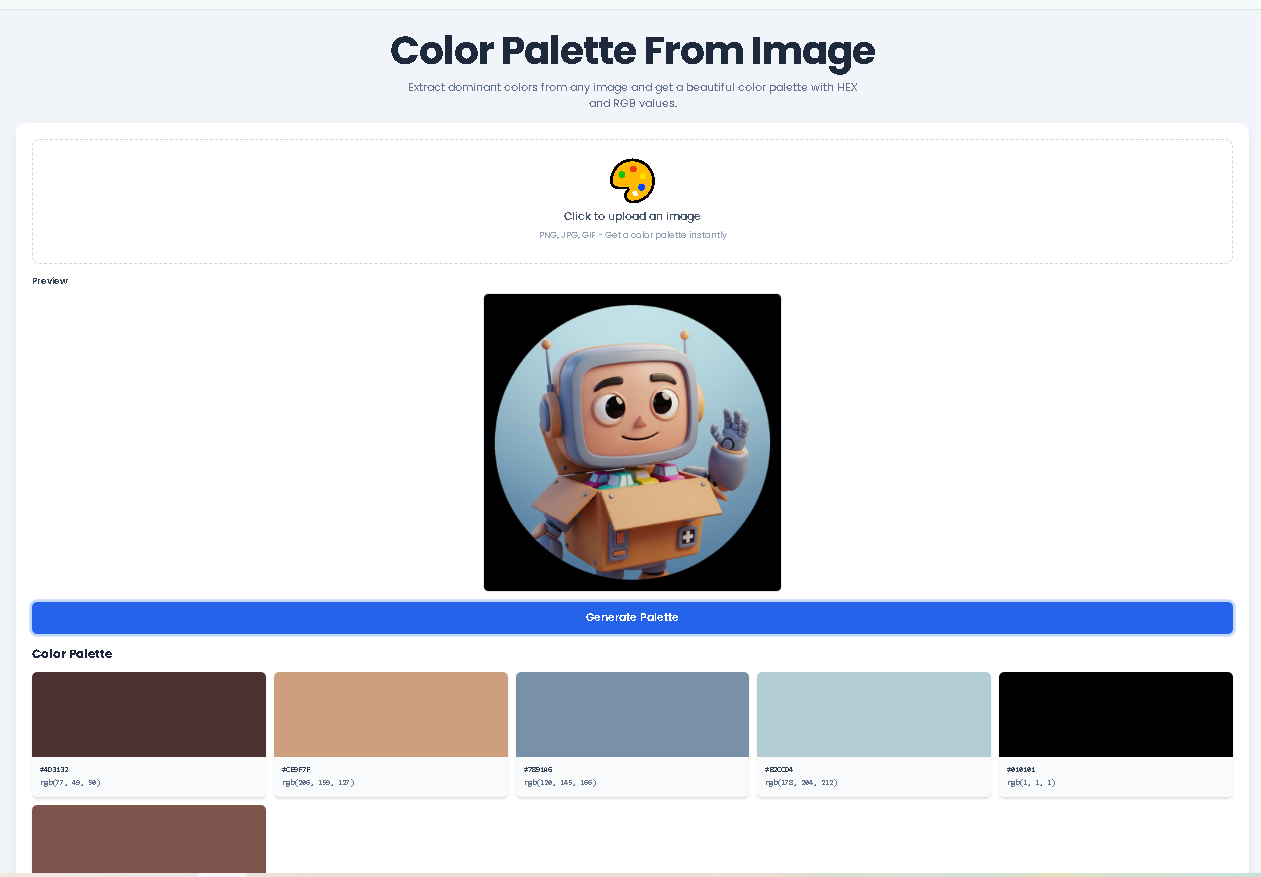
Once uploaded, the tool processes the file and displays a preview directly above the upload area. This preview, rendered in a canvas element, confirms the correct image has been loaded. The image is automatically scaled for optimal processing while maintaining its proportions.
After the image preview appears, a blue button labeled “Generate Palette” will become visible. Click this button to initiate the Color Palette From Image extraction process. The tool’s JavaScript code will now analyze the image data:
This process happens in milliseconds. Please note: very high-resolution images may take a moment longer, but the analysis is typically instantaneous.
The results section will appear, displaying your new six-color palette. For each color, you will see:
#3B82F6) in a monospace font.rgb(59, 130, 246)) below it.To copy a value: Simply click on either the HEX or RGB code text for any color. A small black notification toast will briefly appear at the bottom-right of your screen confirming “Copied to clipboard!” You can then paste the code directly into your design software, CSS file, or style guide.
Our tool is built with specific features that directly address user needs for color extraction.
Six-Color Palette Output: Delivers a balanced and usable number of colors, sufficient to define primary, secondary, and accent shades for a comprehensive scheme.
Client-Side Processing: All image analysis occurs directly in your browser. Your uploaded images are not sent to any external server, ensuring privacy and faster processing.
Smart Color Sampling: The tool intelligently samples pixels from the scaled image, optimizing performance without sacrificing the quality of the color analysis for the final palette.
Visual Color Swatches: Each extracted color is displayed in a large, clear box, allowing you to visually assess the palette harmony before using the codes.
Cross-Format Compatibility: Accepts the most common web image formats—JPG, PNG, and GIF—providing flexibility in your source material.
Responsive Design: The layout adapts seamlessly from desktop to mobile devices, so you can generate a Color Palette From Image on any device, anywhere.
Leveraging Toolota‘s specific implementation offers distinct advantages that streamline the color discovery workflow.
Instant Speed & Efficiency: Bypass manual color picking in complex editors. Get a complete, analyzed six-color palette in under 10 seconds from upload to results.
Algorithmic Accuracy: The K-means clustering method provides a mathematically reasoned palette, identifying true dominant colors rather than random or outlier shades you might select manually.
Developer-Friendly Output: Receive both HEX and RGB color code formats simultaneously, catering to different development and design environment requirements without need for conversion.
One-Click Copy Convenience: The integrated click-to-copy functionality for every color value eliminates tedious manual typing and prevents transcription errors, boosting productivity.
Clean, Intuitive UI/UX: The interface is purpose-built with a clear visual hierarchy—upload zone, preview, action button, results—making the Color Palette From Image process intuitive for users of all skill levels.
No Registration or Cost: Access the full functionality of the Color Palette From Image generator completely free, without any sign-up, subscription, or download barriers.
For optimal results when using any Color Palette From Image tool, consider these guidelines.
Input Quality Dictates Output: The clarity and color representation of your source image directly influence the palette. Well-lit, high-contrast images typically yield more distinct and usable color groups.
Algorithmic Nature of Results: The palette is generated mathematically. For images with very subtle gradients or millions of similar colors, the six output shades will be the mathematical centroids, which are highly accurate but may not always match a human’s subjective “main” color picks.
Review for Context: The tool provides data—a color palette. The creative application of that palette (e.g., choosing which color is for text, which for background) requires human judgment and an understanding of design context like contrast and accessibility.
Intended Use: This tool is designed for creative, design, and development workflows. It must not be used to extract color information for malicious purposes, such as attempting to compromise systems or for any illegal activity.
The extraction is highly accurate in identifying the statistically dominant colors within the image using a K-means clustering algorithm. It samples thousands of pixels to find the six most representative color groups. Accuracy is best with images that have clear, distinct color zones.
Absolutely. The Toolota Color Palette From Image generator is built with responsive design. You can upload an image from your phone’s gallery, generate the palette, and copy the color codes directly on your mobile device’s browser with full functionality.
The tool accepts the most common web-friendly image formats: JPG (or JPEG), PNG, and GIF. Simply ensure your file is saved in one of these formats before uploading.
The tool extracts color data that exists within your image. The color codes themselves (HEX, RGB) are not copyrightable. However, the source image you use may be subject to copyright. Always ensure you have the right to use an image before creating and publishing a derived color palette for commercial projects.
Toolota is your all-in-one online tools platform. Fast, simple, and free utilities designed to make everyday digital tasks easier and smarter.